IPTV Smarters Pro Ireland: The Complete Setup & Streaming Guide
IPTV Smarters Pro Ireland: The Complete Setup & Streaming Guide
If you’ve been searching for a smooth, reliable way to stream your favourite channels, sports, and movies in Ireland, chances are you’ve come across IPTV Smarters Pro. It’s one of the most popular IPTV player apps available today, and for good reason: it’s lightweight, flexible, and works across almost every device you already own.
In this guide, we’ll break down what IPTV Smarters Pro actually is, how it fits into the wider IPTV ecosystem, how to get it running correctly, and what to look for when choosing a subscription provider in Ireland.
Table of Contents
- What Is IPTV Smarters Pro?
- How IPTV Smarters Pro Works With IPTV Subscriptions
- Setting Up IPTV Smarters Pro on Your Device
- Why Irish Users Are Switching to IPTV Smarters Pro
- Choosing a Reliable IPTV Provider in Ireland
- Common Issues and How to Fix Them
- FAQs
- Related Reading
What Is IPTV Smarters Pro?
IPTV Smarters Pro is a media player application designed to organise and stream IPTV content through a clean, user-friendly interface. Unlike a traditional cable box, this app doesn’t broadcast channels on its own — it acts as the bridge between your IPTV subscription and your screen, whether that’s a smart TV, Android box, Firestick, mobile phone, or tablet.
What makes it stand out is the layout. Channels are grouped neatly into categories, there’s a built-in EPG (electronic programme guide) so you can see what’s airing now and later, and it supports catch-up TV, VOD libraries, and series sections — all in one place.
How IPTV Smarters Pro Works With IPTV Subscriptions
Here’s where things often get confusing for newcomers: IPTV Smarters Pro is just the player, not the content provider. To actually watch channels, you need an active IPTV subscription that gives you an M3U URL or Xtream Codes login (username, password, and server address).
Once you enter those details into the app, it pulls in the full channel list, EPG data, and on-demand content from your provider’s server. This separation between “player” and “subscription” is actually a good thing — it means you can switch providers without changing your app, and the interface stays familiar no matter which service you use.
Setting Up IPTV Smarters Pro on Your Device
Getting started is simpler than most people expect:
- Download IPTV Smarters Pro from your device’s app store (Google Play, Apple App Store, or Amazon App Store for Firestick).
- Open the app and select “Login with Xtream Codes API” (most providers in Ireland use this method) or “Load your playlist or file URL / M3U URL.”
- Enter the details provided by your IPTV service — this typically includes a server URL, username, and password.
- Allow a few moments for the app to sync your channel list and EPG.
- Browse categories, mark favourites, and you’re ready to stream.
If you’re setting this up on a Firestick, make sure “Apps from Unknown Sources” is enabled in your device settings if you’re sideloading the APK rather than installing from the app store.
Why Irish Users Are Switching to IPTV Smarters Pro
Traditional satellite and cable packages in Ireland often come with long contracts, rigid channel bundles, and steep monthly costs. IPTV Smarters Pro, paired with a good subscription, gives Irish viewers access to UK and Irish channels, international sports packages, and on-demand libraries — often at a fraction of the price.
The app also supports multi-screen use, meaning the same subscription (depending on your provider’s connection limits) can often be used across a phone, TV, and tablet, making it ideal for households where everyone wants to watch something different.
Choosing a Reliable IPTV Provider in Ireland
The app itself is only half the equation — your streaming experience depends heavily on the quality of your IPTV provider. When comparing options, look for:
- Server stability: Frequent buffering usually points to overcrowded or poorly maintained servers.
- Channel variety: A strong mix of Irish, UK, and international channels, plus sports and entertainment packages.
- VOD and catch-up support: A good library of movies, series, and missed shows adds real value.
- Customer support: Responsive support matters when you run into setup issues or need your credentials reset.
- Free trial availability: A trial period lets you test stream quality before committing.
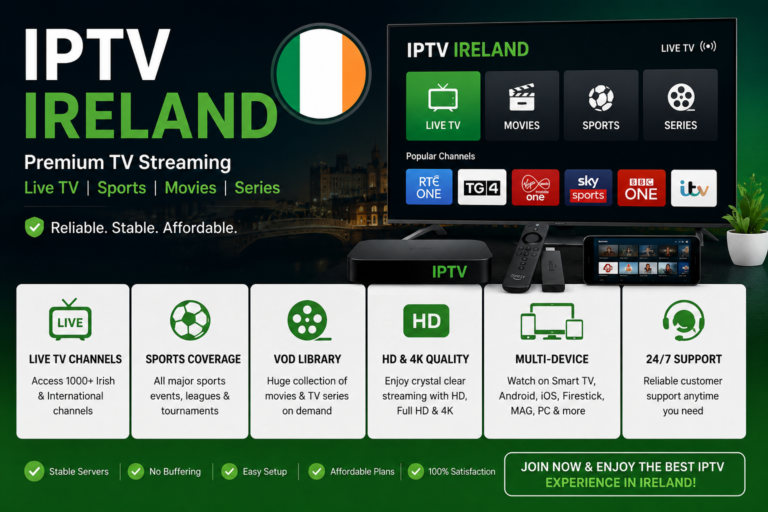
If you’re in Ireland and looking for a provider that checks these boxes, IrelandIPTV offers Smarters-compatible subscriptions with strong server uptime and a wide channel range tailored for Irish viewers.
Common Issues and How to Fix Them
Most IPTV Smarters Pro problems come down to a handful of causes: incorrect login details, an expired subscription, or an unstable internet connection. If channels won’t load, double-check your server URL for typos, confirm your subscription is still active, and try restarting both the app and your router. Clearing the app’s cache can also resolve sync issues with the EPG.
FAQs
Is IPTV Smarters Pro free to use? The app itself is free to download, but you need a paid IPTV subscription to access channels and content.
Can I use IPTV Smarters Pro on multiple devices? Yes, as long as your subscription plan allows multiple connections.
Does IPTV Smarters Pro work on Smart TVs? Yes, it’s compatible with Android-based smart TVs, Firestick, and most Android boxes.
Do I need a VPN to use IPTV Smarters Pro in Ireland? A VPN isn’t required to use the app, though some users prefer one for added privacy.
Related Reading
- How to Choose the Best IPTV Subscription for UK and Irish Channels
- Firestick vs Android Box: Which Is Better for IPTV Streaming?
- Troubleshooting Common IPTV Buffering Issues